Game Guide
Interface Overview
Basic Screen Display 1~11
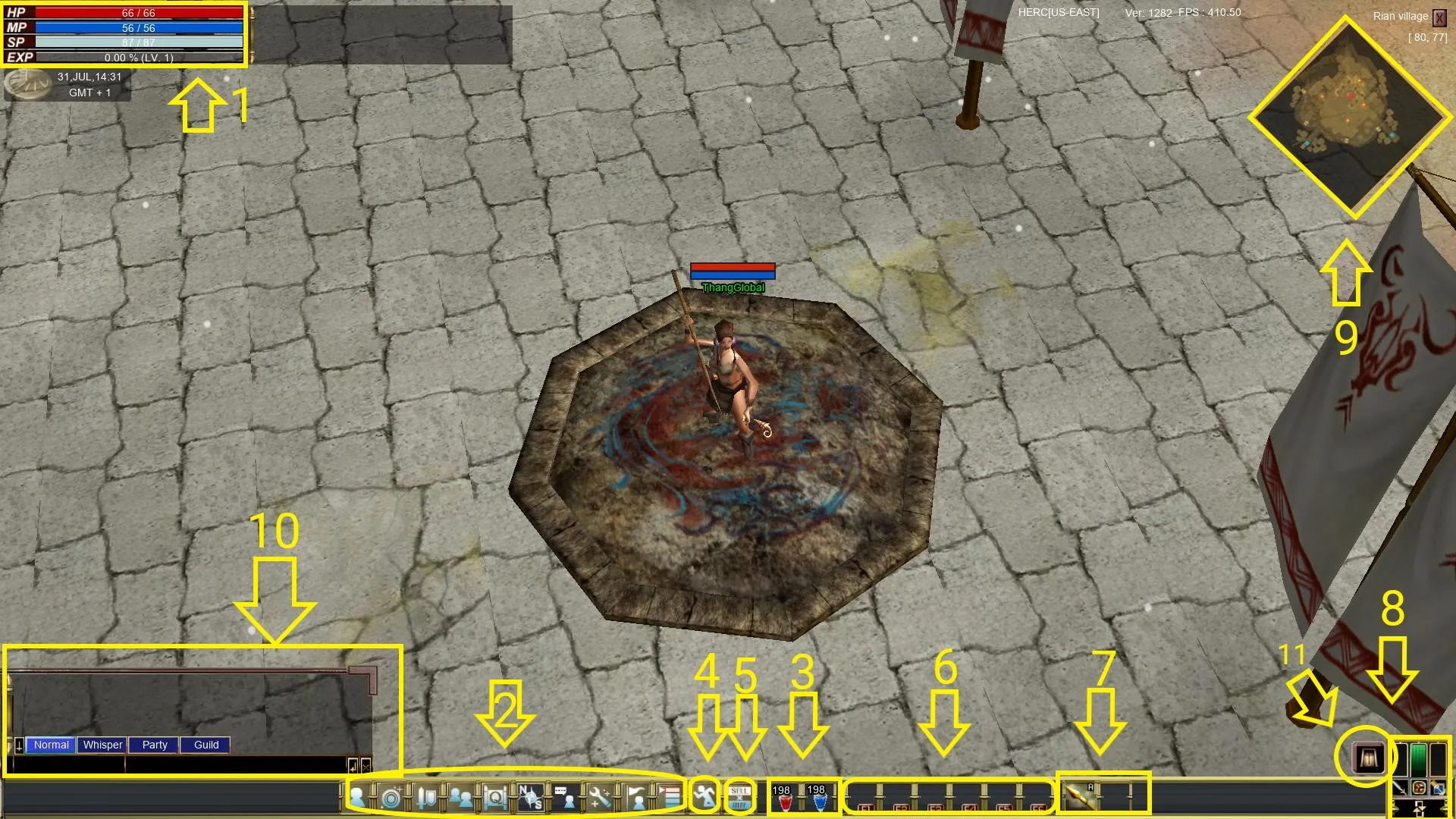
The Basic Status (1)
This displays your basic status - your current HP (health), MP (mana), SP (run energy), and EXP (experience) % along with your current level.

Basic Menu and Keys (2)
These keys are the most basic keys used in the game. Number keys are hotkeys.
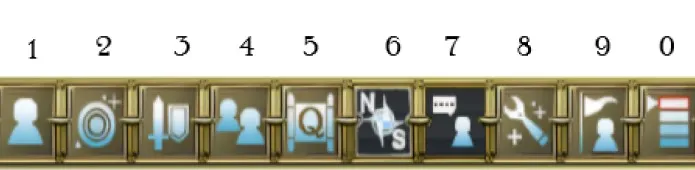
- Avatar Information (1): This window shows stats and other facts about avatars.
- Skills (2): This window shows the list of skills of your avatar.
- Inventory (3): This window shows the items the avatar is wearing and the items your avatar obtained.
- Group(4): This window shows information on the group your avatar belongs to, such as guilds or parties.
- Quest (5): This window shows the process of the quest.
- Mini Map (6): You can turn Mini Map ON/OFF.
- Chatting (7): You can turn the chatting window ON/OFF.
- Option (8): You can adjust the resolution, sound, PK On/Off and others.
- Guild (9): You can select server and character or exit.
- Exit (0): This window shows the list of skills of your avatar.
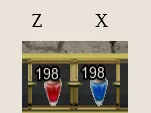
HP and MP Recovery Hotkeys (3)
You can use items that help you recover HP and MP, such as potions, Tear of Muru, and Fruit of Turan.
The hotkeys are Z (HP) and X (MP).
Walk/Run Key (4)

You can make your avatar walk or run.
The hotkey is C.
Opening Vendor or Inventory (5)

You can sell items in your shop starting at level 5. To add items to your vend or change the name of your vendor shop.
The hotkey is M.
Quick Slots (6)

Quick slots can be used for any teleport lune or dien. Also can be used for any of the following scrolls: Exp, Skill, Resurrection, drop and repair scroll. Items placed in quick slot can be removed and placed back in inventory by holding left click and dragging back to any slot.
The hotkeys are F1-F6 (also used by right clicking).
Selecting Weapons and Skills (7)
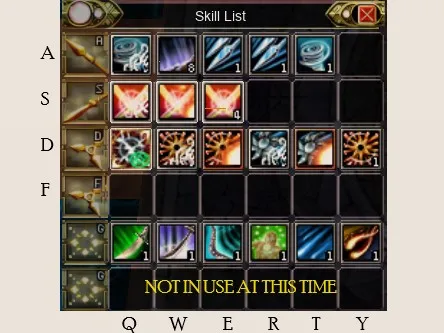
You can select your weapons and skills according to picture above. You cannot use skills of other tribes displayed in the bottom, but you can obtain and store the skills from other tribes. The numbers or design indicated in the skills represent the level of that particular skill or refined attribute (Tar, Yelba, Mir).
The hotkey for Skills Window is 2; the hotkeys for weapons are A, S, D, and F, and the hotkeys for skills are Q, W, E, R, T, and Y, respectively from your left.
KI System Window (8)
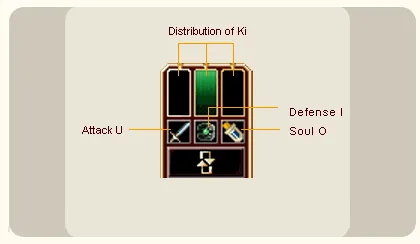
You can use KI to boost your avatars attack, defense, and soul power. Adding full attack (U) will boost your attack but you will lose HP, defense, and SP.
Adding full Defense (I) you will lose attack but gain defense, HP, and SP.
Adding full Soul (O) gives you a boost in MP.
Find the perfect mix that fits your needs.
The hotkeys are U for attack, I for defense, O for soul and P is used to confirm application.
Mini Map (9)
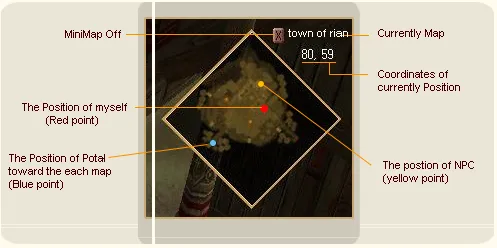
You can locate your avatar on your mini map in red. In the top right corner you will see the name of the current map your on and coordinates. You can locate party members who will appear with a number. Position of NPC are yellow, Portals are blue.
The hotkey is 6.
Chat Window (10)
You can chat with other players. There are various options such as Normal, Whisper, Party, Guild, shout and Bigshout. Please see chatting guide for more information.
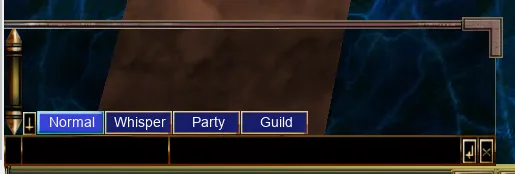
The hotkey is 7.
Nusamlatana Teleport (11)
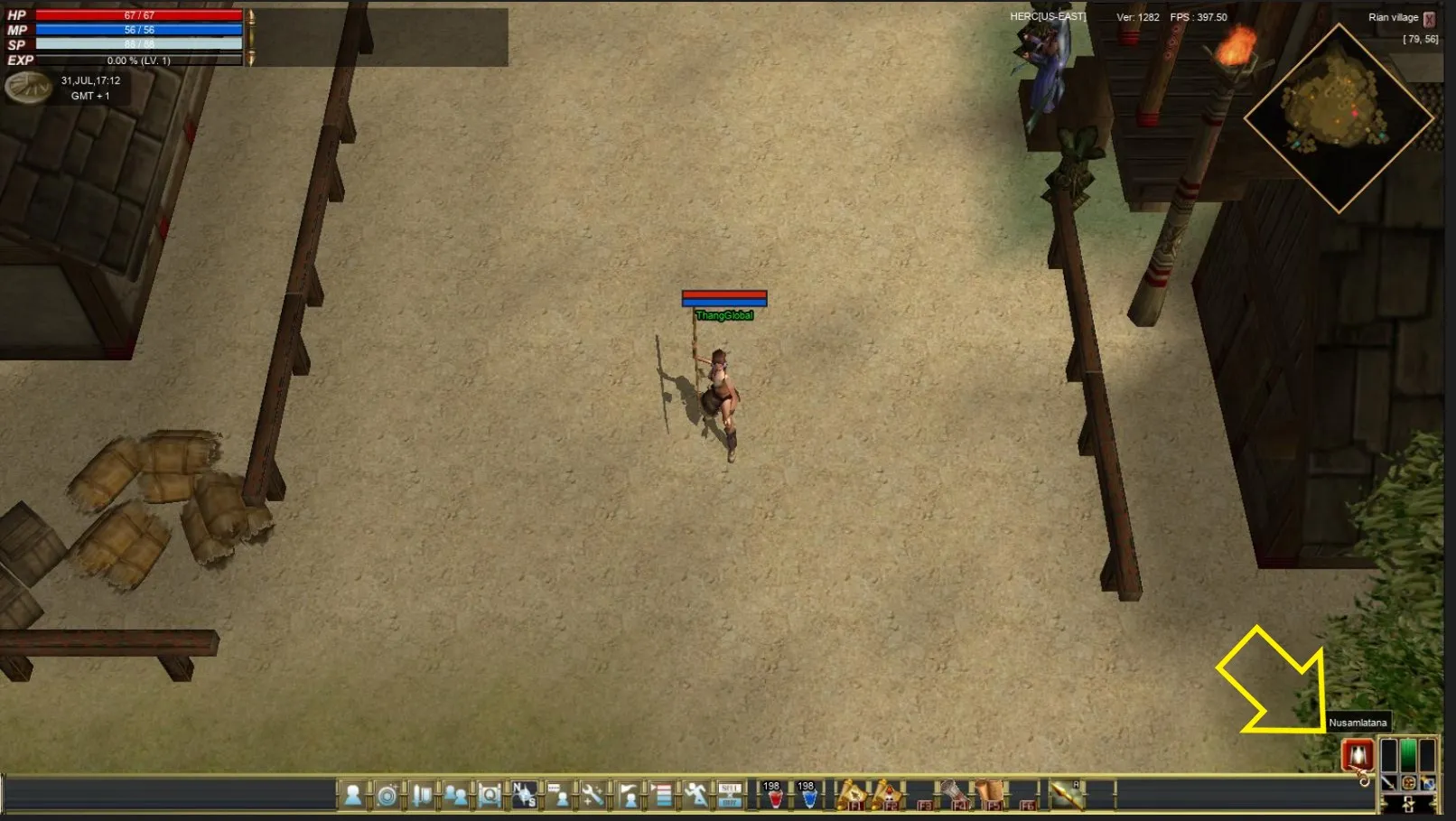
Clicking on the icon show in the screenshot will instantly transport you to the haven of Nusamlatana, the keeper of treasures. Nusamlatana is a safe haven for all players in each server, you can get a Attack and defense boost from NPC Salindra or purchase premium items from Nusamlatana herself. All players on each server can set up personal vendor shops here. In order to get back to where you were in the game world, press the Nusamlatana button icon again. If you log off in the haven, pressing the icon will take you back to either Rian Village or Yerden.
Basic Controls
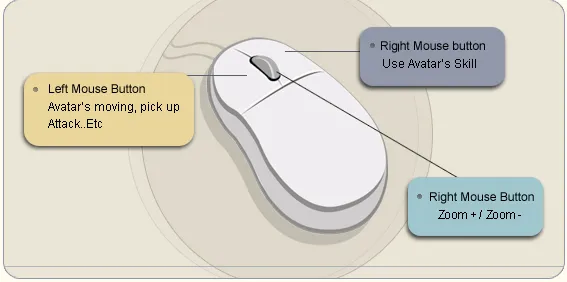
- Left mouse button: Left mouse button controls the action of avatars. Avatars move to the click point, and it controls collecting items, selecting monster and attack. (Shift + Left mouse button, and click avatars of other players, and 1:1 Menu pops up.)
- Right Mouse Button: Right mouse button controls the skills of avatars. Select a skill, right click, and then your avatar uses that particular skill. You can cancel item repair when you right-click while repairing.
- Mouse Wheel Scroll: Mouse wheel scroll controls the ZOOM IN/OUT of the game start page. Home (ZOOM IN) and End (ZOOM OUT) keys have the same function.
- Spacebar: Spacebar can be used to pick up items off ground, first press will pick up all dien each additional press will pick up items in the order they where dropped, while in range.
Menu
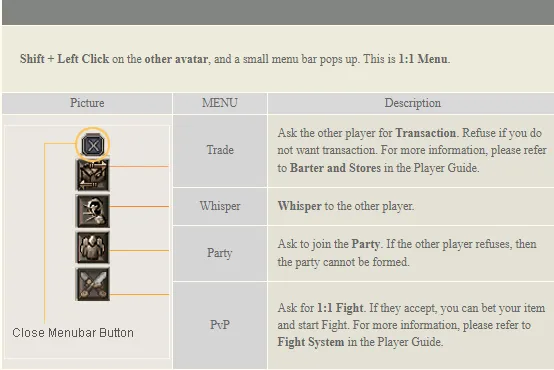
Guild leaders will have an additional button to invite new players to there guild.